The WinMX Peer Network (WPN)
Primary Start-up, Contacting the WinMX Peer Cache
Secondary Start-up, Contacting the WinMX Peer Cache
In the following document I’ll try to answer some of the common questions about the WinMX Peer Network and how it works, such as: the difference between ‘Primary’ and ‘Secondary’ connections; how files are transferred; why it’s called a ‘decentralised’ network, and so forth.
Primary Connections (Back to Top)
There are 2 methods to connect to the WinMX Peer Network; the first is to make a 'Secondary' connection, and the other a 'Primary' connection. Primary connections are the most important part of the network, as without them there simply wouldn’t be a network to connect to. The Primary computers handle all of the connections within the network that forms, they also handle all of the search requests made by users, whois requests, browsing of
users shared file lists, instant messaging, and decentralised chat rooms.
One of the most important aspects of a Primary connection is that it also hosts those people who cannot operate a Primary connection; these are often people who are on a less capable Internet connection that would simply get bogged down with trying to handle the tasks that a Primary has to do. To be a Primary connection requires a reasonable amount of bandwidth to operate so, for this reason, Primary connections are limited to those on Cable, DSL, T1 or T3+ connections (often referred to as
'broadband' connections). These are usually quite capable connections which should have little problem handling the flow of search, browse, whois, etcetera, tasks that make up the WinMX Peer Network. These Primary connections allow those with the less capable connections, and those who cannot operate as a Primary connection for many reasons, join into the network. These less able, non-primary connections that the Primary users host are called Secondary connections…

1.0. Primary Connection.
Secondary Connections (Back to Top)
Secondary connections are WinMX users that can’t operate as a Primary for a number of reasons; the most common being that the Internet connection is not capable of handling the data that a Primary needs to, but also those with incorrectly configured Firewalls, Routers, slow PC’s (less than a 266MHz CPU detected), LAN/ICS/NAT setups, and any number of other reasons that make it difficult to operate as a Primary connection.
By default, WinMX sets up who becomes a Primary or Secondary connection according to how it’s configured when installed. Users who specify either Unknown, 14.4K Modem, 28.8K Modem, 33.6K Modem, 56K Modem, ISDN 64K, or ISDN 128K are automatically setup to operate as a Secondary connection. This means that these connection types won’t participate in the operation of the WinMX network (handling search/browse/chat/etc) other than to allow users access to their shared files. WinMX will also
force a user to make a Secondary connection if it detects a processor of less than 266MHz in the machine (you can go to: WinMX > Help > About, to see this), or if the user has set ‘Firewalled’ or ‘LAN’ modes in the Settings menu or during the installation procedure. This is because it takes a reasonable amount of computing power to process and handle all the network tasks that a Primary does, and also because users behind firewalls and/or problematic Internet gateways (LAN/ICS/NAT/etc) can often
have trouble allowing the connections to and from the WinMX Peer Network, which are required in order to successfully operate a Primary connection.

2.0. Secondary Connection.
Primary Start-up, Contacting the WinMX Peer Cache (Back to Top)
This part explains what happens when a user configured to operate as a Primary connection starts WinMX, and goes on to show how Primary users hook up together to form the WinMX Peer Network.
When a Primary user starts WinMX, the first thing it does is contact a 'Peer Cache' server at Frontcode (WinMX HQ). When the WinMX client contacts a Peer Cache server, it effectively leaves a record of its own internet address (IP address) there, which the Peer Cache server will retain for a short period of time in order to enable other Primary and Secondary users to connect to you later on. Another reason the Primary user's client needs to contact the Peer Cache server is to obtain an
address, or addresses, of other Primary users already on the WinMX Peer Network to connect into: at this point the Peer Cache server will look at its stored list (IP cache) of Primary addresses that it knows are already on the network, and in turn reply to the Primary user's client with an address, or number of addresses, to attempt to connect into.
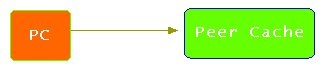
3.0. The Primary user contacts the Peer Cache to request an address to connect to, and leaves its own address.
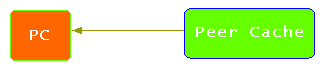
3.1. The Peer Cache server sends the Primary user addresses to connect to.
After the Primary user receives a number of addresses to connect to from the Peer Cache, it'll then proceed to contact the various addresses and attempt to establish a connection with them. If the addresses it attempts to connect to are accepting more Primary connections, then a new connection is established between the two Primary users. This initial connection to another Primary user on the WinMX Peer Network is its first link into the
network, and from this point on the functions of the WinMX client can be used, such as searching for files, joining chat rooms, etc.
Now, the Primary WinMX client doesn’t stop at connecting to only a single other Primary user; it'll further attempt to connect to several more Primary users until is has around 4 to 8 connections (this amount will vary according to how WinMX is configured). The effect this has is to make for a stronger and highly interwoven network that helps to increase search efficiency, increases network resiliency, and generally provides for a more effective operation of the network.
The diagram below shows how the network could look when many Primary users have contacted each other and linked up together; all of these Primary users simply contacted the Peer Cache for addresses of each other at WinMX start-up, and hooked up together to form a network. These Primary connections form the core of the network and are essential to the operation of it.

4.0. Many Primary users link together to form the core of the Peer Network.
If you have a look at WinMX when operating as a Primary, you’ll notice these Primary connections displayed at the top of the window as 'P=4, S=2, SPM=5256' kinda thing. The 'P=4' in this display represents the number of links the client has established with other Primary users on the network. If you look at the above picture, you can see how some of the users have 3 connections (P=3), some have 4, some 5, etc, which combine together to help build a stronger, more resilient, and capable network.
Secondary Start-up, Contacting the WinMX Peer Cache (Back to Top)
Sorry, this is as far as I've got so far.
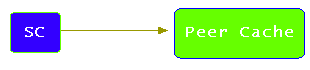
5.0. A Secondary user contacts the Peer Cache to request an address to connect to.
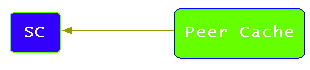
5.1. The Peer Cache responds with an address of a Primary user to connect to.
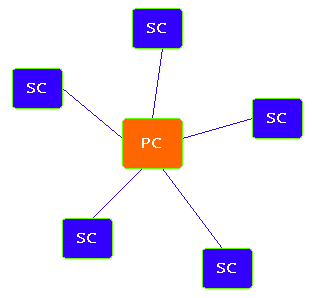
6.0. Secondary users contact and establish connections to a Primary user.
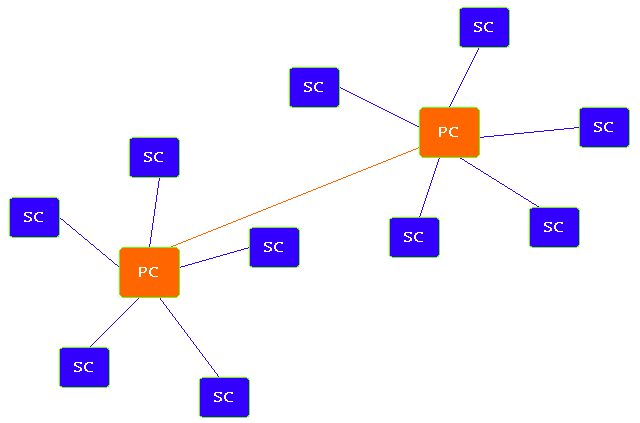
7.0. An example of a small WPN in operation, containing 10 Secondary users, and 2 Primaries.
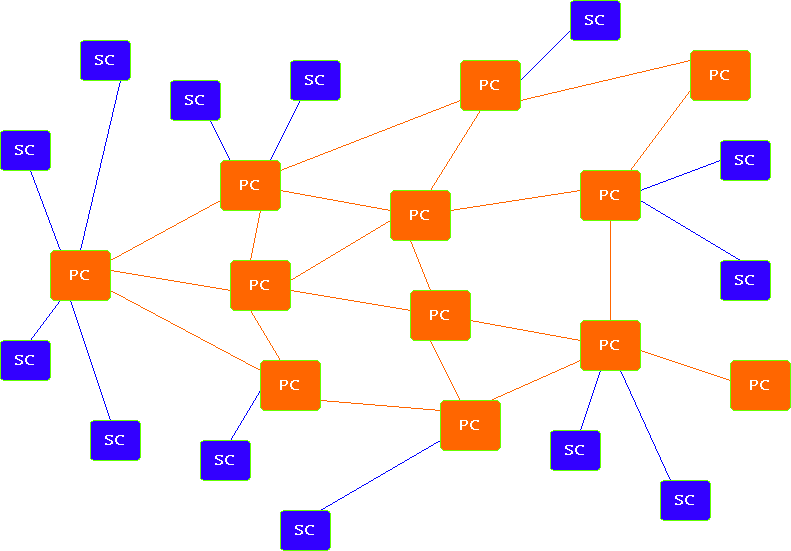
8.0. An example of a larger network in operation, containing many Primary and Secondary clients.
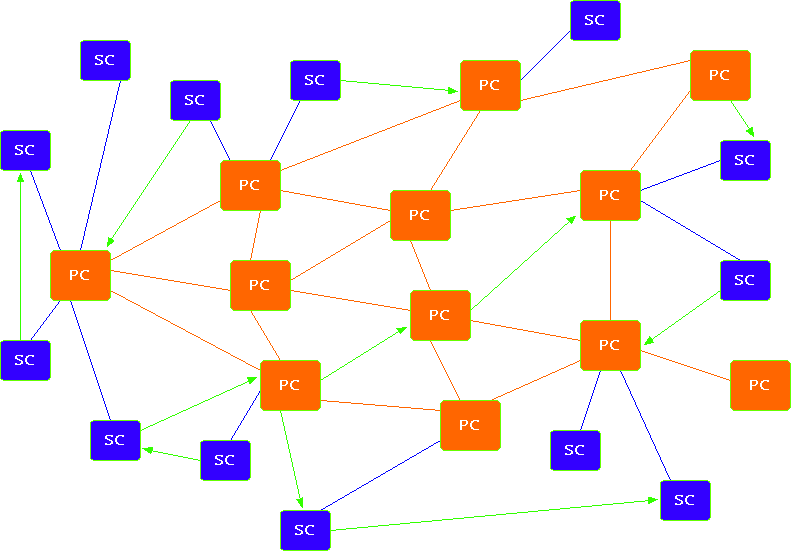
9.0. This picture shows how file transfers are established directly between clients and servers (Peer-to-Peer).
© 2002-2004 db | Contact